Racing Team Admin Reference
This page gives a reference to all membertility views which are available to members who have the racingteam admin security role.
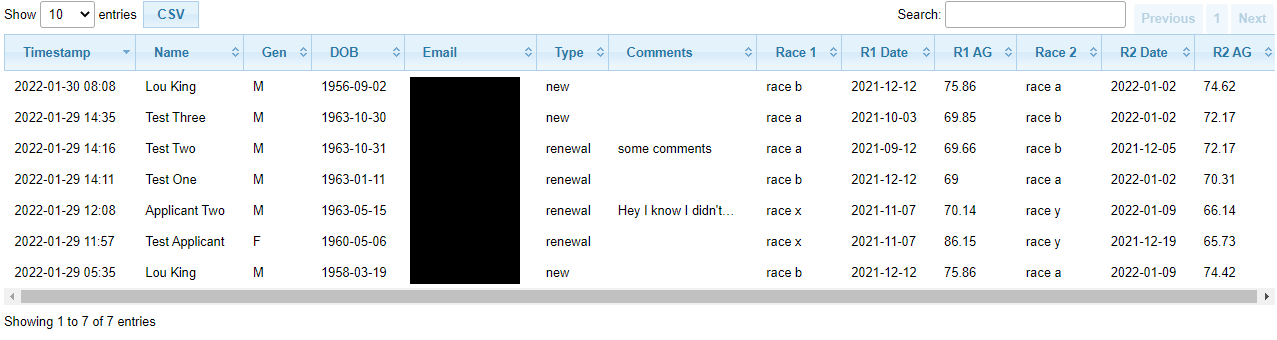
Racing Team Applications view
Navigation: Racing Team > Applications
- Timestamp:
date and time the application was submitted
- Name:
applicant’s name
- Gen:
applicant’s gender
- DOB:
applicant’s date of birth
- Email:
applicant’s email address
- Type:
type of application, one of new, renewal
- Comments:
any comments the applicant entered. If there are ellipses at the end, hovering over this field will display the full comment
- Race 1/2:
name of submitted race 1/2
Note
detailed application results can be found in Racing Team Application Results view
- R1/2 Date:
date of submitted race 1/2
- R1/2 AG:
age grade for submitted race 1/2
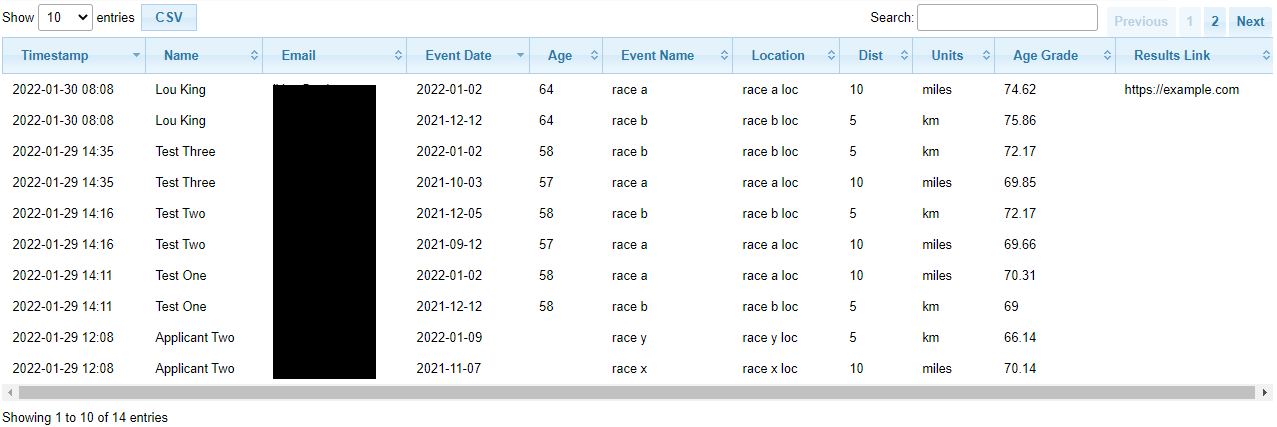
Racing Team Application Results view
Navigation: Racing Team > Application Results
- Timestamp:
date and time the application was submitted
- Name:
applicant’s name
- Email:
applicant’s email address
- Event Date:
date for this result submission
- Age:
applicant’s age on Event Date
- Event Name:
name of the race
- Distance:
race distance
- Units:
units of race distance, one of miles, km
- Age Grade:
age grade for this result
- Results Link:
link to official results (optional)
Racing Team Config view
Navigation: Racing Team > Config
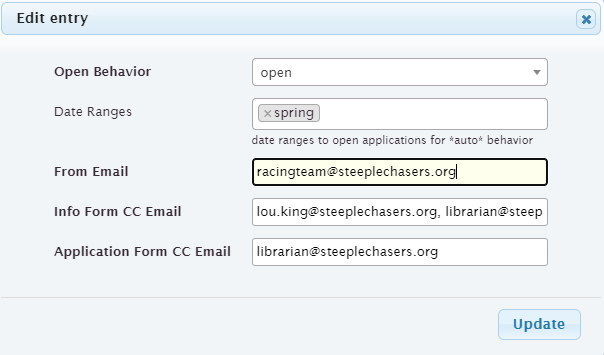
- Open Behavior:
one of auto, open, or closed. This defines whether racing team applications are open. In practice, this should be set to auto to use the date ranges to automatically allow applications only during the specified ranges. To allow applications outside of the date ranges, set this to open. To turn off applications within the date ranges set to closed.
- Date Ranges:
list of date ranges as configured on the Racing Team Date Range view. Applications are allowed automatically during the dates in these ranges if Open Behavior is set to auto.
- From Email:
email address which racing team emails are sent from
- Info Form CC Email:
list of email addresses which are copied when a racingteam member submits the Racing Team Information Form
- Application Form CC Email:
list of email addresses which are copied when someone submits the Racing Team Application Form
Note
do not create more than one row per interest. If more than one row is created the results will be unpredictable.

Racing Team Date Range view
Navigation: Racing Team > Date Range
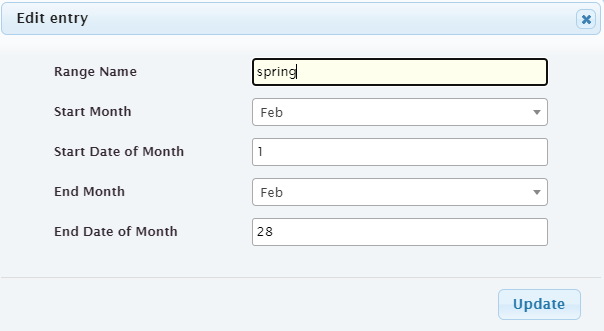
- Range Name:
name of date range, e.g., ‘summer’, ‘winter’
- Start Month:
month of year this date range starts
- Start Date of Month:
date of Start Month this date range starts
- End Month:
month of year this date range ends
- End Date of Month:
date of End Month this date range ends

Racing Team Info Results view
Navigation: Racing Team > Info Results
- Timestamp:
date and time the result was submitted
- Name:
member’s name
- Event Date:
date for this result submission
- Age:
member’s age on Event Date
- Event Name:
name of the race
- Distance:
race distance
- Units:
units of race distance, one of miles, km
- Age Grade:
age grade for this result
- Awards:
awards achieved (optional)

Racing Team Info Volunteer view
Navigation: Racing Team > Info Volunteer
- Timestamp:
date and time the volunteer activity was submitted
- Name:
member’s name
- Event Date:
date for this volunteer activity submission
- Hours:
number of hours being reported
- Comment:
any additional comments (optional)

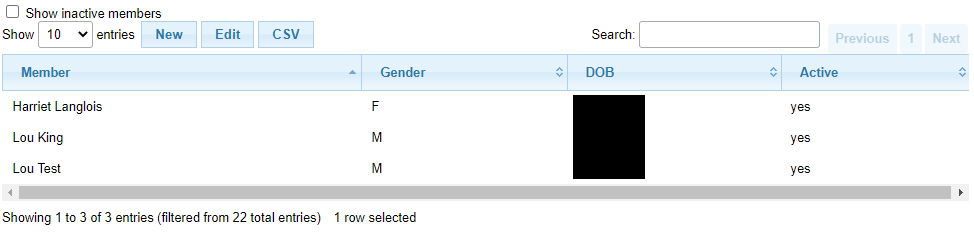
Racing Team Members view
Navigation: Racing Team > Members
The view has the following filters:
- Show inactive members:
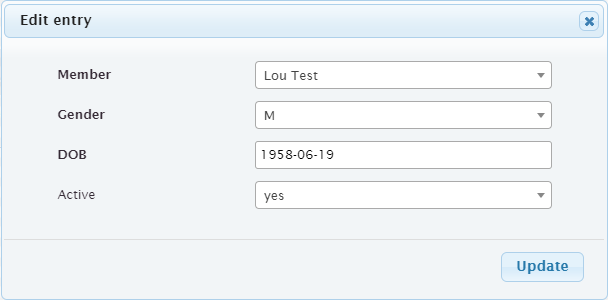
check this to see inactive members. This allows old members to be added back to the racing team by checking this then setting the old member’s Active to yes
Note
before using this view, new members needs to be created on the Members view, and assigned racingteam member security role there